Blue abstract background with gradient shades and light spots.

Unlock WikiSleep on Android

Follow these Simple Steps

Step #1: Install WikiSleep

Step #2: Copy the Code below

ThreeMonthsFree2026

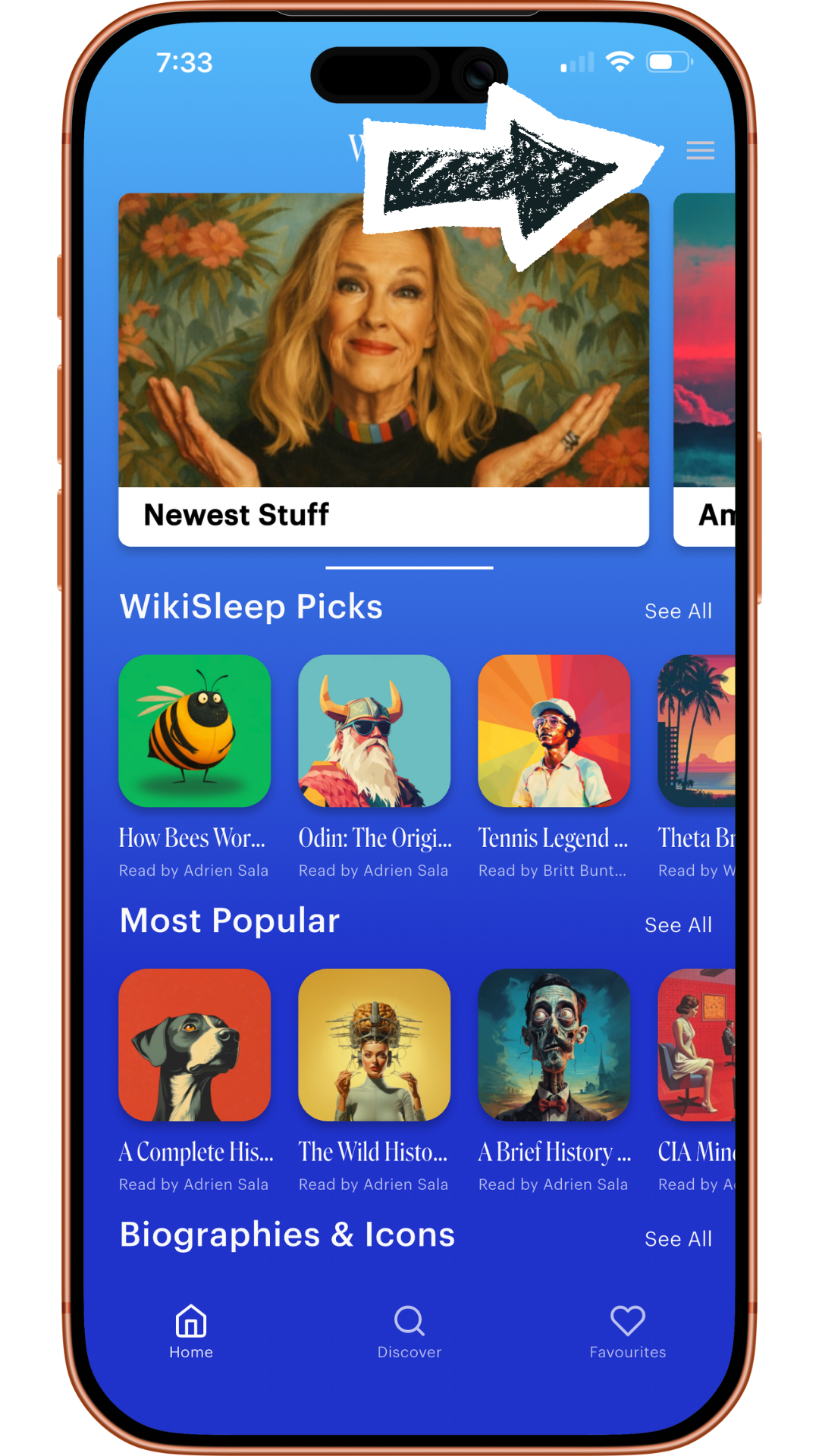
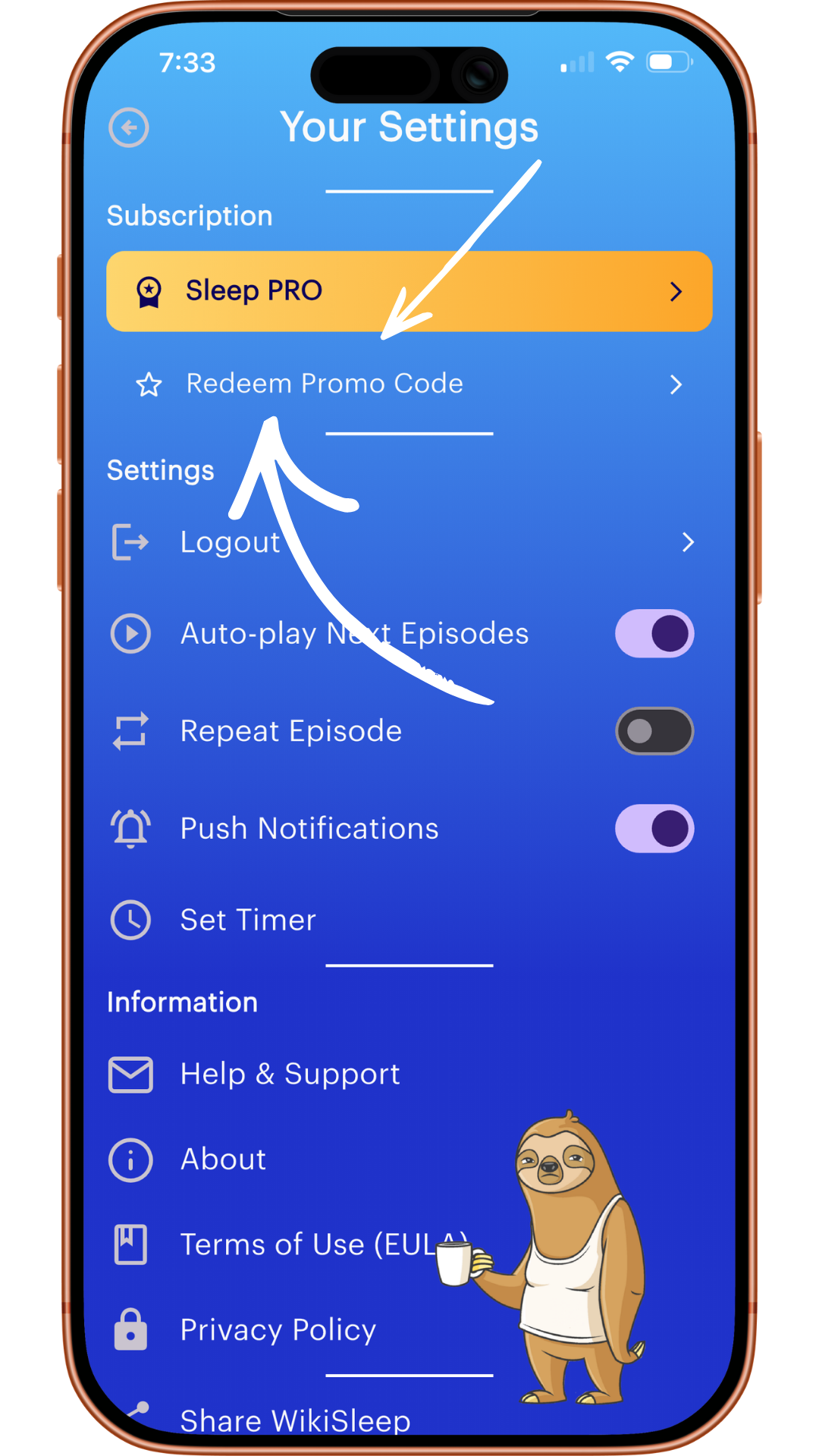
Step #3: Open the App & Redeem

Close-up of a smartphone screen displaying a digital reading app called WikiSleep with a woman on the cover of a book or article, and various app categories and icons visible below.
Smartphone screen displaying app settings menu with options for Sleep PRO subscription, Redeem Promo Code, Logout, Auto-play Next Episodes, Repeat Episode, Push Notifications, Set Timer, Help & Support, About, Terms of Use, Privacy Policy, and Share WikiSleep. The screen also features a cartoon sloth holding a cup of coffee at the bottom.

Step #4: Start Sleeping 😴